
How to Install Diwa Fun App on Android
Installing the Diwa Fun app correctly starts before you tap the Install button. Android users should first check where the APK came from, whether an older version is already on the phone and what permissions the device is requesting. This guide explains how to install Diwa Fun App on Android, keep your existing account, update the application cleanly and solve common setup problems without weakening normal device security.
How to Install Diwa Fun App From a Verified Source
A clean installation begins with one question: where did the file come from? A package can be renamed easily, so seeing “Diwa Fun” in a filename does not prove that the APK is current or connected to the correct distributor.
Before using an APK, check whether the download page provides consistent product information, privacy details and a usable support path. If the page opens repeated redirects, asks for an unrelated downloader or gives no clear explanation of the application, stop before adding the file to your phone.
Quick Checks Before Download
- Confirm that the file is intended for Android.
- Make sure the phone has enough free storage.
- Check whether an older Diwa Fun installation is already present.
- Use a stable Wi-Fi or 4G/5G connection.
- Review the download source instead of trusting the filename alone.
- Keep Android security features enabled.
These checks reduce the chance of solving the wrong problem later.
Install Diwa Fun App From APK
The actual installation process is simple when the source and device are already prepared. The safest approach is to complete one clean download rather than pressing the same button several times and creating duplicate APK files.
- Step 1: Download One Package — Open the verified distribution page in Chrome or another updated browser and start one download. Wait until the file finishes completely before opening it. If the same file is downloaded repeatedly, Android may create copies ending in (1) or (2). Those numbers only show that a duplicate exists; they do not tell you which package is newer or safer.
- Step 2: Find the File in Downloads — Open the Android Files app or the browser’s download history. Locate the package by checking the download time and source. If several similar files are present, do not test each installer one by one just to see which one works. Identify the latest verified file first.
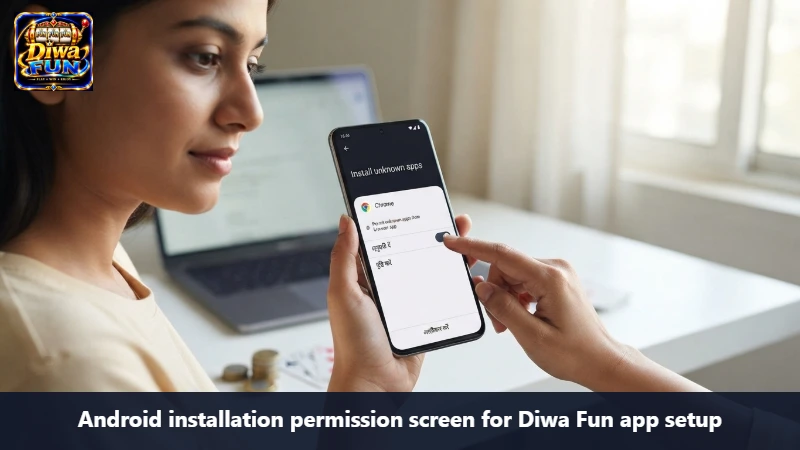
- Step 3: Review Android’s Installation Screen — Tap the verified APK once. Android may ask for permission to install apps from the browser or file manager currently opening the package. This permission does not verify the app. It only allows that source application to begin an installation, so read the screen before approving it.
- Step 4: Complete the Setup — Continue only when the package source and application identity make sense. Allow Android to finish without closing the installer unnecessarily. Once complete, open the app and confirm that the main interface, account area and game lobby appear as expected.
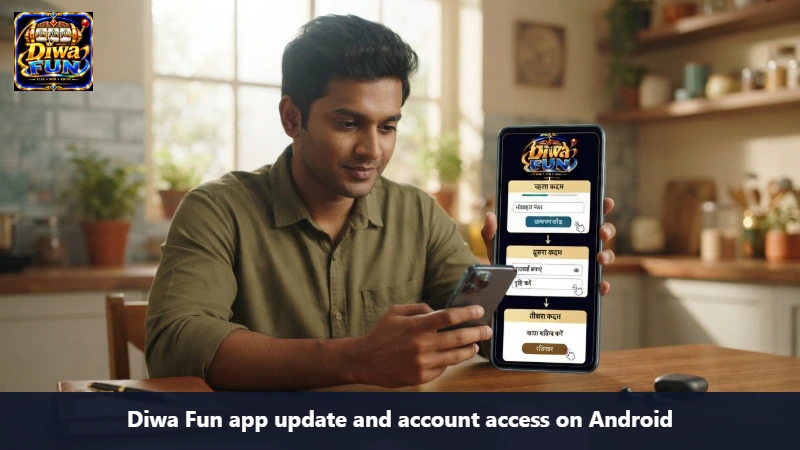
- Step 5: Use Your Existing Account — Existing users should try the same login first. A safe installation also means understanding that app installation and account registration are separate things. If login fails, check the saved password, autofill and network before creating another account.
How to Install Diwa Fun App When Android Requests Permission
Android may block external installation by default. On many phones, the permission is linked to the app opening the APK, such as Chrome or the Android file manager.
When installing the app, treat security warnings as information that needs to be checked rather than obstacles that should always be bypassed. Do not switch off Play Protect or several device protections just because a download page tells you to do so.
If the publisher cannot be confirmed or the warning appears unusually serious, cancel the installation and verify the file source again.
How to Install Diwa Fun App When Setup Fails
“App not installed” is a result, not a diagnosis. The cause can involve storage, an older app, a damaged download, compatibility or Android security.
Problem
Check first
APK will not open
Download completion and source
App not installed
Existing app, compatibility, storage
Security warning
Publisher and package source
Install stops midway
Free space and file integrity
App opens then closes
Device compatibility
Login fails after setup
Credentials, autofill and session
An Older Installation May Conflict
If Diwa Fun is already on the phone, keep the working version until the replacement is verified. Removing a functioning app first can make recovery harder if the new package is incompatible.
The Download May Be Incomplete
A network interruption can leave a file that looks normal in the Downloads folder but cannot be installed. Check the browser’s download status before trying another source.
If the original file is incomplete, remove that copy and repeat the same verified download once the network becomes stable.
Storage Can Block Installation
If the phone is nearly full, clear unneeded downloads, old videos or unused files before trying again. Avoid deleting important app data at random because some locally stored information may be difficult to recover.
Compatibility Matters
Two Android phones can behave differently with the same package. Android version, device architecture and manufacturer settings may all affect compatibility.
This is why an Android installation guide should focus on the device actually being used instead of assuming one APK works everywhere.
Keep the Existing Diwa Fun Account
A fresh installation should not automatically lead to another registration. App software and account identity are separate layers.
Android password managers can sometimes fill an older password automatically. If access fails after installation, tap the login fields and confirm what was entered before assuming the account is gone.
Do Not Share Verification Secrets
Never send the following through ordinary support messages:
- account password;
- OTP code;
- UPI PIN;
- card PIN;
- recovery code.
If account recovery is needed, use the legitimate recovery option shown by the current platform.
How to Install Diwa Fun App After an Update
An update should be handled more carefully than a first-time download because an existing working app is already involved. Keep the current installation until you confirm that the replacement comes from the same trusted source.
A clean update sequence is:
- Keep the working app installed.
- Confirm that a new package is actually available.
- Download one replacement file.
- Review Android’s installer information.
- Complete the update.
- Open the existing account.
- Check that the lobby loads correctly.
- Remove old APK files only after the new installation works.
This is the simplest update process without creating a Downloads folder full of uncertain packages.
Avoid Duplicate APK Files
Repeated downloads can leave multiple installers in the same folder. Android often adds numbers to the filename, but those numbers do not tell you which package is safer.
Use the download source and time to identify the file. Once the correct app is working, remove old installers that are no longer needed so future updates are easier to manage.
Do Not Reinstall the App for Every Loading Problem
If the app opens but a game or lobby does not load, start with the network and session instead of immediately downloading another APK. A change from Wi-Fi to 4G/5G can interrupt an active connection, while Android may refresh an app after it has been left in the background.
Returning to a login screen does not automatically mean the installation failed. Reopen the existing account and check whether the problem affects the whole platform or only one game.
How to Install Diwa Fun App Without Weakening Security
A correct setup also includes what happens after installation. Review the permissions requested by the app and make sure they have a reasonable connection to its function.
Keep the phone protected with a screen lock, current Android security updates and normal Play Protect settings. Avoid modified APKs promising unlimited balance, guaranteed wins or unrealistic advantages because altered packages can create both device and account risks.
Adults Only and Legal Eligibility
18+ — Adults only. Users must also satisfy the legal requirements that apply to their location and the particular gaming activity.
Installing an application does not automatically make every money-related feature lawful. Adults in India should check the current rules and platform eligibility before using any real-money gaming function.
Where participation is legally available, gaming should remain entertainment rather than a financial strategy. Set clear time and spending limits, keep essential household funds separate and avoid increasing spending to recover previous losses.
Frequently Asked Questions
First verify the package source and read Android’s warning. Do not disable security protections blindly just to force installation.
Keep the working app until the replacement package has been verified. An update may install over the existing version when the packages are compatible.
Usually not. Try the existing login and account recovery options before creating another registration.
The same package may have been downloaded several times. Android often adds numbered suffixes to duplicate filenames.
Do not disable device security blindly. Verify the source and investigate the warning first.
How to Install Diwa Fun App Without Creating Extra Problems
The safest installation process is simple: verify one source, download one package, review Android’s installation screen and keep the existing account whenever possible. If something fails, identify whether the issue involves the file, storage, compatibility, network or login instead of immediately collecting more APKs.
After setup, keep normal Android protections active and use verified update routes. Adults should also remember that successful installation does not remove legal eligibility or responsible gaming requirements.
18+ Safety Notice
Adults 18+ only. Open Diwa Fun only where that lobby is lawful.